Guiding
every tap
GlobeOne kept adding features faster than people could find them. Tips and Tricks is an in-app guide that names every feature, explains what it does, and puts the most-asked questions first. Users can explore each feature straight from the GlobeOne app.
How we solved it
Five passes, from an inventory of everything the app can do to a hierarchy built around where people actually get lost.
-
01Explore the appWalked every screen in GlobeOne and listed each feature, existing and new, so nothing shipped without a place in the guide.Full feature inventory
-
02Listen to usersRead support tickets and store reviews, then interviewed subscribers about the parts of the app where they got lost.Confusion hotspots
-
03Assess and clusterScored every finding by how often it came up and how much it cost the user, then grouped the tips by the task behind them.Ranked tip set
-
04Build the hierarchyCompiled the clusters into a structure: categories first, then cards, ordered so the most-asked questions sit at the top.Guide IA
-
05Test and hand offRan the structure through a click-through prototype, then specced each component and its states for build.Dev-ready spec
-
EntryOne door, in the menuTips and Tricks lives in a single place instead of scattered tooltips, so users can come back to it on purpose.
-
StructureTask names, not feature namesCategories are written the way users describe the problem, so scanning the list does the searching for them.
-
BehaviourRead and tryEach card can open the feature it explains, so the guide hands the user straight into the app.
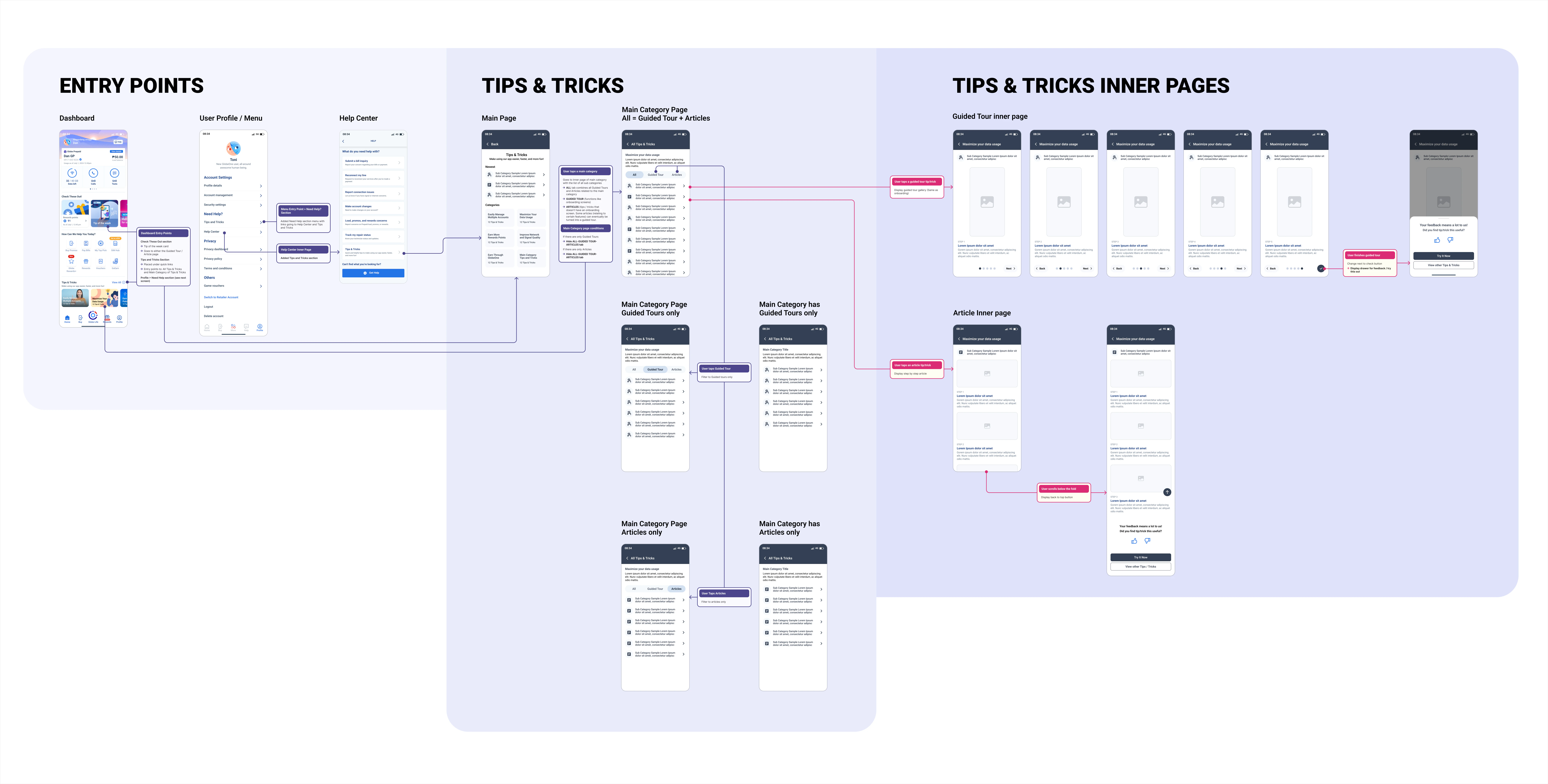
Wireframe
Structure before skin. The full board is here to explore: drag to move across the flow, scroll to zoom into any screen.
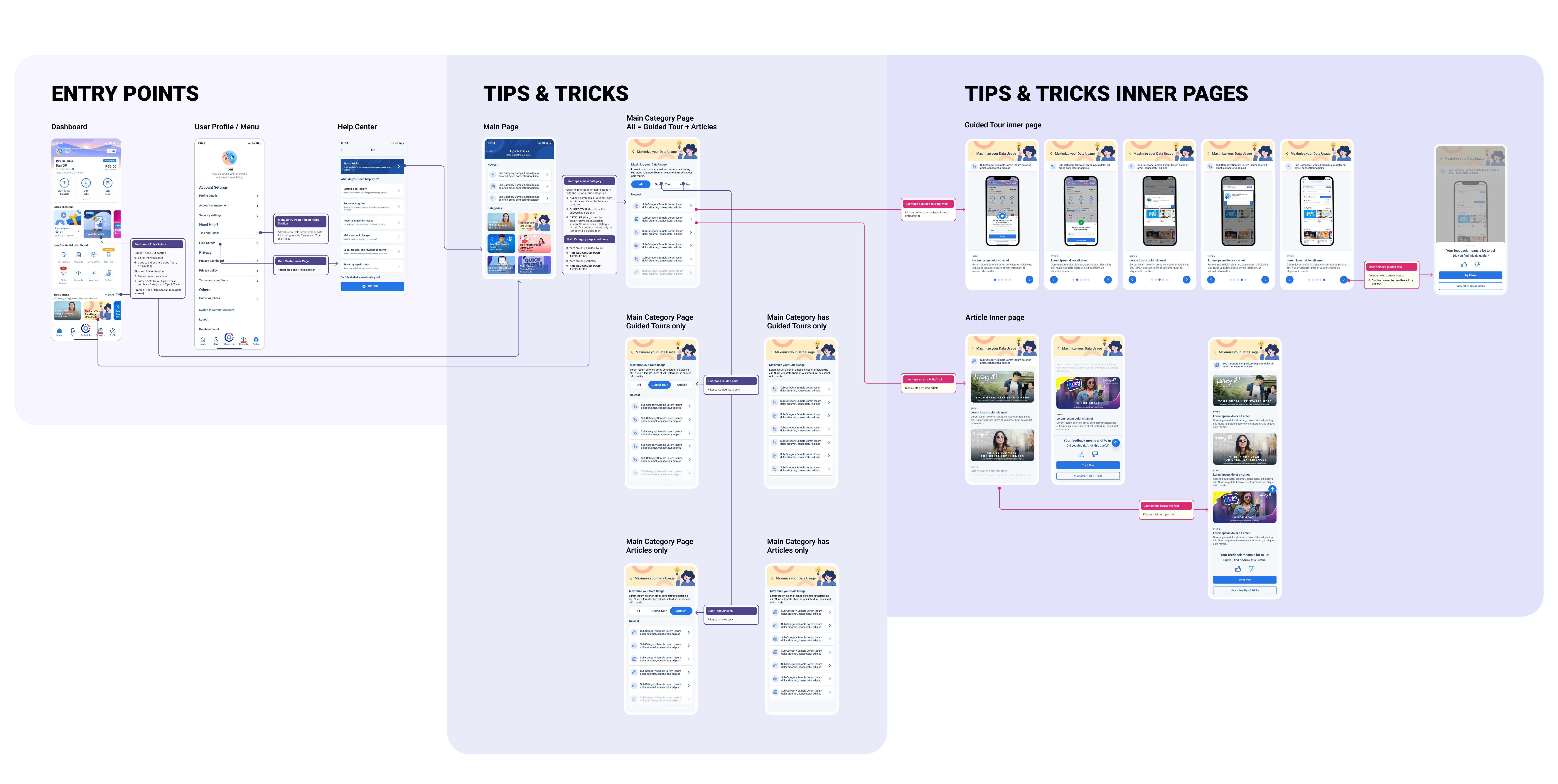
Skins
The same flow with the skin on: every screen here is drawn directly from the wireframe above, so the structure set in UX carries through to the final UI. Drag and zoom the board to follow it.

Explore the feature inside the GlobeOne app
-
01
Every feature named
The guide covers the whole app, so new releases land with an explanation instead of a discovery problem.
-
02
Built from the pains
The order of the guide comes from support volume, not the org chart or the release calendar.
-
03
Read and try in one place
Users can open the feature from the tip that describes it, without hunting for it afterwards.